A single binary digit is called a:
Q1Explanation: A bit is one binary digit, either 0 or 1.
AP Computer Science Principles · Unit 2 · Data
Unit 2 · Binary · ~8 min read
Binary numbers are the foundation of digital data in AP Computer Science Principles Unit 2. A binary number uses only 0 and 1, and each place value is a power of 2.
On this page, you will learn what binary means, why computers use binary, how binary place values work, and how to avoid the common AP CSP mistake of reading binary like decimal.
In AP CSP, a binary number is written in base 2 using only 0 and 1. Each position is a power of 2, and computers use binary because digital hardware can reliably represent two states as bits.
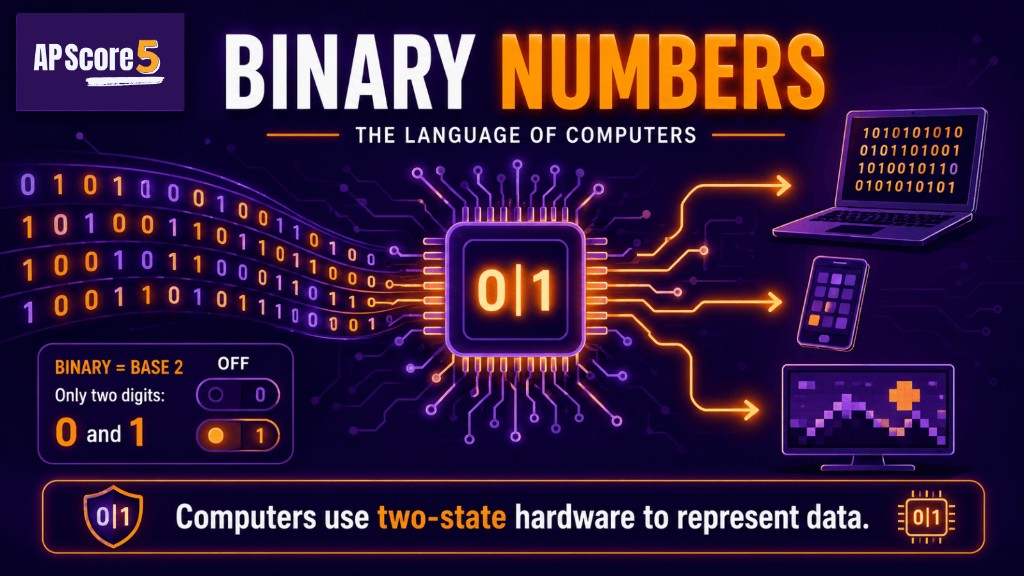
Computers use binary numbers and two-state hardware to represent and process digital data.
In AP CSP, a binary number is a number written in base 2. Binary uses only two digits: 0 and 1. Each position in a binary number represents a power of 2, such as 1, 2, 4, 8, and 16.
Tiny example: The binary number 101 means 4 + 1, so it equals decimal 5.
Start the Unit 2 path on the AP CSP Unit 2 Guide, then deepen storage units on bits and bytes.
Computers use binary because digital hardware can represent two stable states. Those states can be interpreted as off/on, false/true, low voltage/high voltage, or 0/1.
Electronic circuits are easier to design reliably when they only need to distinguish between two states. It is much harder to build systems that must reliably distinguish ten different voltage levels for decimal digits.
Because computers use binary internally, all digital data can be represented as patterns of bits. Text, images, audio, video, numbers, and program instructions are all stored using 0s and 1s.
If an AP CSP question asks why computers use binary, focus on two-state hardware and reliable representation. Do not say computers use binary because it is easier for humans.
A bit is one binary digit. It can be either 0 or 1. Binary numbers are made from sequences of bits.
| Term | Meaning | AP CSP Example |
|---|---|---|
| Bit | One binary digit | 0 or 1 |
| Binary number | A base-2 number | 101 |
| Bit pattern | A sequence of bits | 0101 |
| Digital data | Data represented with discrete values | Text, images, sound, files |
For storage units, review bits and bytes.
Binary place values double as you move left. Starting from the right, the place values are 1, 2, 4, 8, 16, 32, 64, and 128.
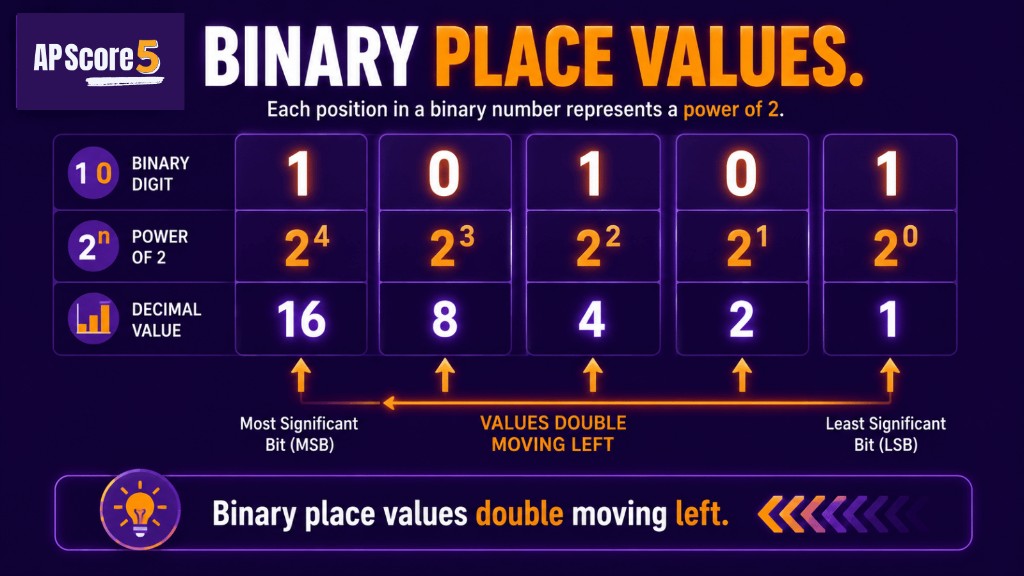
Binary place values double moving left, using powers of two to represent numbers.
| Binary Place | Value |
|---|---|
| Rightmost place | 1 |
| Next place | 2 |
| Next place | 4 |
| Next place | 8 |
| Next place | 16 |
| Next place | 32 |
| Next place | 64 |
| Next place | 128 |
To read 101 in binary, place the values 4, 2, and 1 under the digits. Add the values under 1s: 4 + 1 = 5. So 101₂ equals 5₁₀.
| Binary digit | 1 | 0 | 1 |
|---|---|---|---|
| Place value | 4 | 2 | 1 |
| Use it? | yes | no | yes |
For 1010₂, use place values 8, 4, 2, and 1. Add only the columns with 1s: 8 + 2 = 10.
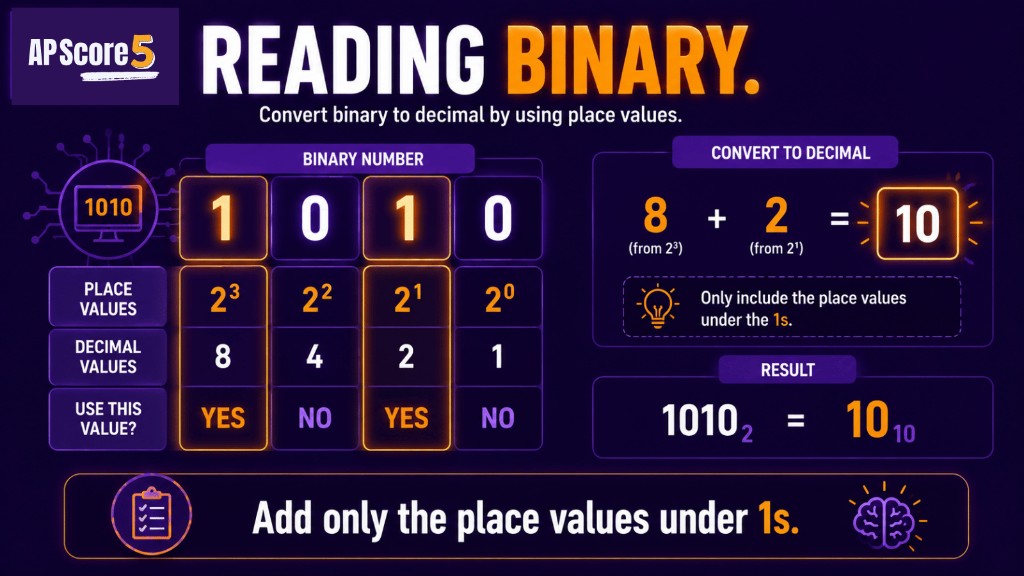
To read binary numbers, add only the place values underneath the 1s.
| Binary digit | 1 | 0 | 1 | 0 |
|---|---|---|---|---|
| Place value | 8 | 4 | 2 | 1 |
| Use it? | yes | no | yes | no |
To convert a small binary number to decimal, write the binary place values and add only the values where the digit is 1.
| Binary | Work | Decimal |
|---|---|---|
| 1 | 1 | 1 |
| 10 | 2 | 2 |
| 11 | 2 + 1 | 3 |
| 100 | 4 | 4 |
| 101 | 4 + 1 | 5 |
| 1010 | 8 + 2 | 10 |
| 1111 | 8 + 4 + 2 + 1 | 15 |
Need step-by-step drills? Use the binary to decimal conversion guide.
| Mistake | Correction |
|---|---|
| Reading binary like decimal | 101₂ is 5₁₀, not one hundred one |
| Forgetting place values double | Binary uses 1, 2, 4, 8, 16... |
| Adding zeros | Only place values under 1s count |
| Confusing bit and byte | A bit is one 0 or 1; a byte is 8 bits |
| Forgetting base labels | Use 101₂ for binary and 5₁₀ for decimal when needed |
| Thinking binary only stores numbers | All digital data can be represented with bits |
| Assuming humans prefer binary | Computers use binary because hardware has two stable states |
Some AP CSP classes also discuss overflow when a fixed number of bits cannot store a larger value. Treat overflow as a storage-limit idea, not the main point of this page.
AP CSP binary questions usually test small, clear ideas. You are not expected to do huge conversions by hand.
| Question Type | What to Watch For |
|---|---|
| Definition | Binary is base 2 and uses 0 and 1 |
| Why binary | Computers use two-state hardware |
| Place values | Values double moving left |
| Small conversion | Add place values under 1s |
| Bit capacity | n bits can represent 2ⁿ patterns |
| Bit vs byte | 8 bits = 1 byte |
After this page, try the Unit 2 quiz or the 50-question practice set.
These are short topic checks. For the full mixed Unit 2 set, use the 50-question practice page. Tap an answer to reveal the explanation. Choices shuffle on load.
A single binary digit is called a:
Q1Explanation: A bit is one binary digit, either 0 or 1.
Why do computers use binary?
Q2Explanation: Computers use binary because circuits can reliably represent two states such as off/on or low/high voltage.
Which number system uses only 0 and 1?
Q3Explanation: Binary is base 2 and uses only the digits 0 and 1.
What are the place values for the binary number 101 from left to right?
Q4Explanation: Binary place values double from right to left: 1, 2, 4.
What is binary 101 in decimal?
Q5Explanation: 101₂ means 4 + 1, which equals 5.
What is binary 1010 in decimal?
Q6Explanation: 1010₂ means 8 + 2, which equals 10.
How many different patterns can 3 bits represent?
Q7Explanation: n bits can represent 2ⁿ patterns, so 3 bits represent 2³ = 8 patterns.
Which statement is true?
Q8Explanation: A bit is one binary digit and can be either 0 or 1.
Which is the best correction for the mistake "binary 100 is one hundred"?
Q9Explanation: Binary 100 uses place values 4, 2, and 1, so it equals 4.
Which AP CSP clue suggests binary place values?
Q10Explanation: Base 2 means binary, where place values are powers of 2.
A student has 4 bits. How many patterns can those bits represent?
Q11Explanation: 4 bits can represent 2⁴ = 16 patterns.
Which example best shows digital data representation?
Q12Explanation: Digital data can be represented as patterns of bits.
Check each skill when you can explain it without looking at notes.
0 of 8 ready
A binary number in AP CSP is a number written in base 2 using only the digits 0 and 1. Each position represents a power of 2, such as 1, 2, 4, 8, and 16.
Computers use binary because digital circuits can reliably represent two stable states, such as off/on or low voltage/high voltage. These states are represented as 0 and 1.
A bit is one binary digit. It can have one of two values: 0 or 1.
Binary place values double as you move left. Starting from the right, the values are 1, 2, 4, 8, 16, 32, and so on.
Binary 101 uses the place values 4, 2, and 1. Add the values under the 1s: 4 + 1 = 5, so 101₂ equals 5₁₀.
n bits can represent 2ⁿ different patterns. For example, 3 bits can represent 2³ = 8 patterns.
A bit is one binary digit, either 0 or 1. A byte is 8 bits.
The biggest mistake is reading a binary number like a decimal number. For example, 101₂ is 5₁₀, not one hundred one.
No. AP CSP usually focuses on small binary examples, place values, bit capacity, and why computers use binary.
After binary numbers, study bits and bytes, then binary-to-decimal conversion. Those pages build on the idea that computers represent data with bits.